swale v0.3.0: a terminal dashboard with an agent inside
Type swale and get your contribution calendars, your open todos and this month's spending — plus a prompt that can read and change any of it. Running on a model on your own laptop.

npm install -g @itssayantan/swale@itssayantan/swale on npm · source on GitHub
What is new
| A dashboard | swale with no arguments opens it: both contribution calendars, open todos, this month's spending. |
| An agent | Thirteen tools over your own data. It can read and change all of it. |
| Contribution calendars | Six months of GitHub commits and LeetCode submissions, with streaks. |
| A queue | Keep typing while it works. esc stops the turn in flight. |
| Attachments | Paste a file path or ctrl+v a screenshot. |
| Slash commands | /model to switch models, /clear, /help. |
| Backup and restore | One command out, one command back, on any machine. |
All of it runs against whatever model you configured. For me that is qwen2.5:7b on my own laptop — every recording in this post is that, and nothing left the machine.
The dashboard
Type swale and you get the screen at the top of this post.
Both calendars, your open todo count, how much you have spent this month, and a prompt at the bottom. It is the first thing I run in the morning and it answers the question I actually have, which is some version of where am I.
It is built with Ink, which is React rendering to a terminal. Finished replies become ordinary terminal scrollback, so your mouse wheel, your scrollbar and your terminal's own text selection work on them exactly as they would on any other command's output. The prompt stays pinned to the bottom and does not move while you type.
Replies are rendered as markdown — bold, lists, links, inline code and fenced blocks come out formatted instead of as literal asterisks. ctrl+y copies the last answer. ↑ walks back through what you have asked before.
Asking it things
The prompt is an agent with thirteen tools over your own data:
› what have I got left to do?
  ⚙ list_todos
You have two todos left to do:
  • Write the eval cases for tool selection (status: todo)
  • Review the auth refresh PR (in progress)

› mark the eval cases one done
  ⚙ set_todo_status
The eval cases for tool selection have been marked as done.
Those ⚙ lines are the tools it actually called. They are not decoration — more on that below.
Things it can do: list, add, update, finish and delete todos; read and write notes; record spending and total it over any date range; list your repositories; report your commit activity and streaks; pull your LeetCode standing. Anything you would otherwise run four commands for.
swale chat is the same agent without the dashboard, and it keeps the conversation, so "and the week before?" means something.

Keep typing while it thinks

A local model takes ten to twenty seconds a turn. Being locked out of the input for that long is miserable, so you are not. Prompts queue and run in order, and the one waiting is shown above the prompt.
esc stops whatever is running. Anything already streamed is kept, and the next prompt starts straight away.
Dropping files in
Copy a file in Finder, or drag it into the terminal, and paste. swale recognises the path, attaches the file, and puts the reference inline where you can see it:
 🖼 Screenshot 2026-09-25.png   image · 370 KB · not read yet
 📊 sales.csv                   spreadsheet · 1.2 MB · not read yet

 › [Image #1] ~/work/sales.csv  — what changed between these?
PDF, Word, Excel, CSV, Markdown, HTML, JSON, YAML, images and most source files. Images need ctrl+v rather than cmd+v, because a terminal turns a paste into keystrokes and an image has none — swale asks the operating system for the bytes directly, and tells you in cyan when it spots one on your clipboard.
Nothing reads them yet, which is why every line says so. This release builds the plumbing so that adding a parser later is one function rather than a feature.
Switching models without leaving
/model              # what you are on, and everything Ollama has pulled
/model llama3.2     # switch
/clear              # forget the conversation
/help
/model with no argument lists what is installed locally and marks the active one. Typing / shows the commands as you go.
Calendars

Six months of commits and submissions, with current and longest streaks, in gh sync, lc, the dashboard, and the plain-text version you get when you pipe it somewhere.
GitHub has no REST endpoint for the contribution calendar, so it is GraphQL — the read:user scope swale already asks for covers it.
Moving to another machine
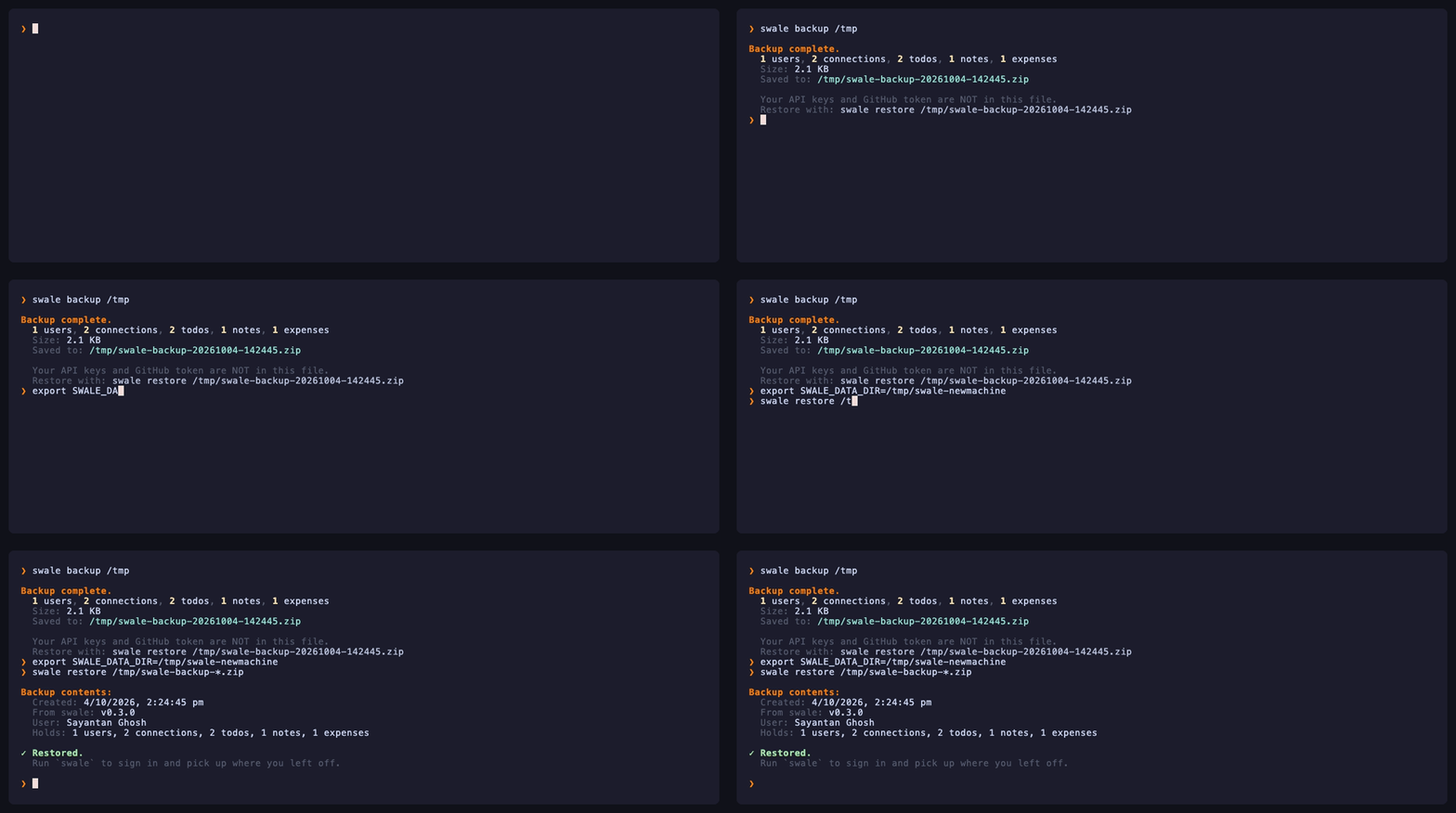
swale backup          # → ~/.swale/backups/swale-backup-<stamp>.zip
swale restore /path/to.zip
The snapshot uses VACUUM INTO rather than a file copy, because copying a SQLite file while a connection is open can catch a half-written page.
config.json is deliberately not in the archive. It holds your GitHub token and any API key, and all of it comes back by signing in again — which makes a backup safe to put in cloud storage. That is the whole reason to have one.
Making it trustworthy
One section on this, because it shaped the design more than anything else.
Early on I asked the agent to record an expense and it replied "Expense added: 450 INR" — having called no tool at all. Nothing was saved. For a tool whose job is to be trusted with your records, that is the only failure that really matters, and rewording the instructions did not fix it.
What fixed it was removing the option. The first step of every turn must call a tool, so the model cannot answer from nothing. If it tries anyway the turn is reported as a refusal rather than passed off as an answer. That is what the ⚙ lines are for: every answer you see is grounded in something that actually ran, and you can see what.
The second change came from the same instinct. Asking a model for a record's id is asking it to invent one, so the write tools take a few words instead and do the lookup themselves — set_todo_status({ match: "blog post", status: "done" }). The interface matches how you would refer to the thing anyway.
What is next
Readers for the files you can already attach — CSV and Markdown first, then PDF and Excel — so the agent can answer questions about them.
After that, letting it act on a schedule rather than only when asked. A morning digest worth reading is a different problem from a chat turn, and I would like the chat turn to be properly boring first.
npm install -g @itssayantan/swaleStill early. With a 7B model it occasionally refuses a turn; a larger local model or any hosted provider is steadier, and swale llm switches in seconds. If it breaks, open an issue.
- Open Source
- TypeScript
- CLI
- AI
- Agents
- Local-first